🔒 Privacy & Data Control
Your data never leaves your machine. No cloud logging, no third-party data retention. Critical for sensitive documents, legal, medical, or proprietary business data.
Local LLMs in Practice
FLX AI Hub Community Convening · 60-Minute Session
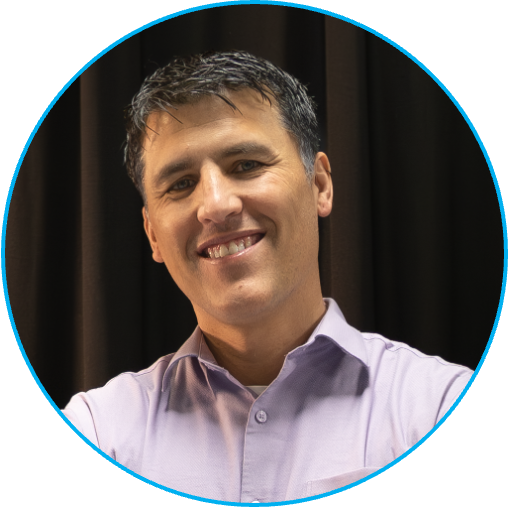
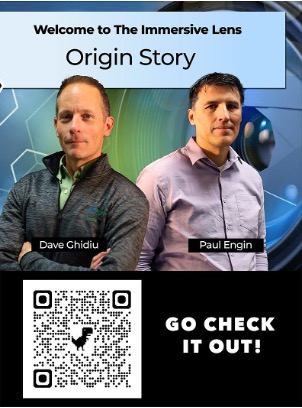
Podcast / Media Work
Professor of New Media
Finger Lakes Community College
Focus Areas
Today's Session: Local LLMs in Practice
Your data never leaves your machine. No cloud logging, no third-party data retention. Critical for sensitive documents, legal, medical, or proprietary business data.
Eliminate per-token billing. Run inference thousands of times for free. Especially valuable for token-heavy workflows.
Fully functional without internet. Field work, travel, air-gapped environments — your AI runs anywhere.
Choose your model, adjust parameters, run fine-tuned versions. You're in control of every variable.
Models need significant RAM/VRAM. A 7B model needs ~8GB RAM; 13B needs ~16GB. GPU acceleration is ideal but not required.
Without a GPU, generation is slower than cloud APIs. CPU-only runs can be 5–10× slower than hosted solutions.
Local models are improving fast, but frontier models (GPT-4, Claude) still outperform most models you can run locally.
You manage downloads, updates, and configuration. No plug-and-play experience like consumer cloud AI apps.
Long inference sessions push CPU/GPU hard. Expect heat and battery impact on laptops and phones.
A single 7B model is 4–8 GB. Running several models eats storage fast.
"Running AI locally saves money" → 7 tokens
Providers charge per 1M tokens. 1M tokens ≈ 750,000 words — about 3 novels. Every prompt and every reply burns tokens.
| Provider / Model | Tier | Input /1M | Output /1M | ~100K emails/mo | vs. Local |
|---|---|---|---|---|---|
| OpenAI GPT-4o | Flagship | $5.00 | $15.00 | ~$300–600 | FREE |
| Anthropic Claude Sonnet | Flagship | $3.00 | $15.00 | ~$250–500 | FREE |
| Google Gemini 1.5 Pro | Flagship | $3.50 | $10.50 | ~$200–400 | FREE |
| OpenAI GPT-4o mini | Fast/Cheap | $0.15 | $0.60 | ~$10–20 | FREE |
| Claude Haiku | Fast/Cheap | $0.25 | $1.25 | ~$15–30 | FREE |
| Gemini 1.5 Flash | Fast/Cheap | $0.075 | $0.30 | ~$5–10 | FREE |
| Local LLM ✓ | Any size | $0 | $0 | $0 | ∞ |
A parameter is a tiny dial learned from training data — more dials = more nuance. But quantization compresses models so a 70B model fits in far less RAM than you'd think.
Runs on: Phone, Laptop, Mac
Knowledgeable generalist — fast, always available, fits in your pocket. Instant responses, no special hardware needed.
Runs on: Data center / server farm
Near-human reasoning — handles complex tasks at frontier quality. Requires massive hardware to operate.
Quantization (Q4/Q8) compresses models — same 70B brain, fraction of the RAM:
| Model Size | RAM Needed | Best For | Example Models |
|---|---|---|---|
| 1B – 3B | 2–4 GB | Phone / quick tasks | Phi-4 Mini, Gemma 3 |
| 7B | 6–8 GB | Everyday use, summaries | Llama 3.2, Mistral 7B |
| 13B | 10–16 GB | Code, reasoning, drafting | Qwen 2.5, Gemma 3 12B |
| 30B+ | 24+ GB | Near-cloud quality | Llama 3.3 70B (quantized) |
Get models at: huggingface.co ollama.com/library
Think of it like hiring a contractor: you want the right specialist, not just the biggest team.
Writing, summarizing, Q&A, chat. The most common type, what most people mean when they say "AI".
e.g. Llama 3, Mistral, Gemma
Thinks step-by-step before answering. Better at math, logic, and multi-step problems. Slower but smarter.
e.g. DeepSeek R1, QwQ
Trained heavily on source code. Dramatically better at writing, debugging, and explaining code.
e.g. Qwen Coder, DeepSeek Coder
Understands images as well as text. Can describe photos, read documents, analyze diagrams.
e.g. LLaVA, Gemma 3, Phi-4 Vision
Combines multiple types: text, image, sometimes audio. The direction most new models are heading.
e.g. Gemma 3, Phi-4 Mini
"How do I get the AI to know about MY documents?"
Find relevant information from your own documents, PDFs, databases, websites, or internal wikis.
Add that retrieved information directly into the prompt, giving the model fresh, specific context it didn't have before.
The LLM generates an answer using both its training knowledge and the retrieved information together.
Spark DXG / PC / Server
Self-hosted. Full-featured UI.
Mac / Windows
Desktop app. Download & run.
Android & iOS
Google's on-device LLM app.
Demo 1 — Follow Along
AI Edge Gallery
Android
 Google Play ↗
Demo 1 — Follow Along
AI Edge Gallery
iOS
 App Store ↗
Demo 2 — Follow Along
LM Studio
Mac & Windows
 lmstudio.ai ↗
Demo 3 — Watch Along
OpenWebUI
Self-hosted
 openwebui.com ↗
Gemma 4 running on your phone — fully offline, no account needed
Android iOS
Open AI Edge Gallery — tap the model library
Download Gemma 4 E2B (~2GB). While it downloads, we'll cover the next slide — it'll be ready.
Paste this prompt:
"Explain a terms of service agreement like I'm 10 years old"
Watch the tokens stream in real time, count the tokens/sec shown at the bottom.
Snap a photo of something in the room → tap Ask Image
Vision model describes it locally. No photo ever leaves your device.
Try Audio Scribe, Mobile Actions and Prompt Labs
Audio, device control and more.
Desktop app — download a model, chat, and expose a local API in minutes · lmstudio.ai
Download LM Studio → open it
Free download, Mac & Windows. No account. Open the app — takes 30 seconds.
Search "llama-3.2-3b" or "gemma-4-12b" in the model browser → download
3B model is ~2GB — downloads fast. Watch the Hugging Face integration work right in the app.
Prompt:
"Write a one-page executive summary explaining the benefits of running AI locally instead of in the cloud."
Compare the response to Edge Gallery. Watch tokens/sec — different hardware, different speed.
Click the ↔ API tab → Start Server
Local server on localhost:1234 — OpenAI-compatible. Any app that talks to ChatGPT can talk to this.
Self-hosted AI — running on a local device, accessible to anyone on the network · openwebui.com
Open browser on any device on the network → Spark's IP
No install on your device. The Spark DXG hosts everything; you just browse to it.
Shared team server
This is what local AI looks like for an organization. One device serves the whole team.
RAG and data in action
The model answers from the document only — your data never left this room.
ComfyUI — video & image generation
Generative image pipelines running locally on the Spark. (Comfy.org)
✓ Data is sensitive / confidential
✓ You have token-heavy workloads
✓ You need offline capability
✓ API costs are a concern
✓ You want full control over the model
✓ Running batch jobs or automation
✓ You need frontier-level intelligence
✓ Hardware is limited
✓ Speed is critical
✓ Multi-modal tasks (vision, audio)
✓ Quick prototyping / experimentation
✓ Team collaboration & sharing
Just Announced
WWDC 2026 — This Week
Foundation Models framework — on-device LLMs in any app with a few lines of Swift
Runs entirely on Apple Silicon: privacy-first, no cloud required
iOS 27 & macOS 27: in beta now
Build 2026 — Last Week
Windows AI Engine built into the OS kernel: any app can call local SLMs via NPU
Windows AI Runtime runs full LLMs locally: offline Copilot, no cloud needed
RTX Spark chip brings dedicated on-device AI acceleration to PCs
Google I/O 2026
AI Edge Gallery: Gemma 4 running natively on Android & iOS (you're demoing this today)
On-device AI built into Android Studio and the platform SDK
Gemma models optimized for phones: getting smaller and faster each release
Generated locally with ComfyUI on the Nvidia Spark DXG:

ComfyUI
comfy.org — run it yourself
comfy.org ↗